-
When should I Text-to-9-1-1?
During a life-threatening emergency, Text-to-9-1-1 can be used when you can’t speak because it may be too dangerous, such as a hostage situation, active shooter, or domestic violence, or you have a hearing or speech impairment.
-
How do I Text-to-9-1-1?
- Open your messaging app and type “911” in the recipient field.
- In the message field, type your location, state if you need police, fire, or medical responder, and briefly describe the emergency.
- An automated response will appear from the appropriate 9-1-1 call center based on your location.
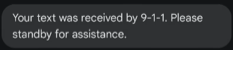
- Stay in the chat — 9-1-1 telecommunicator will join and ask follow-up questions or provide instructions.
- Avoid using slang, sending emojis, or group texting.
- Photos and Videos (saved to device)
o Check with your local jurisdiction to determine if this 9-1-1 feature is available in your area.
o Notify the 9-1-1 telecommunicator that you have a photo and/or video.
o Do not send the pictures or video directly to 9-1-1; this will result in an error message.
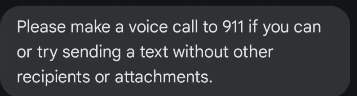
This is in the original 9-1-1 text message chat.
- All text ONLY text messages will need to be sent via the original text message chat with the 9-1-1 telecommunicator.
- Do not close the text message chat until the text message chat has ended. You will receive a text message notifying you that it has ended and has been closed by the 9-1-1 telecommunicator.
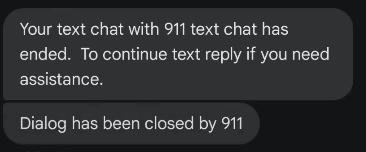
This is the text chat disconnect from the appropriate 9-1-1 call center based on your location.
